
01
Households stay connected
Spouses, co-buyers, sellers, and referral relationships remain understandable without duplicating the story across records.
AgentNook keeps clients, households, referral partners, properties, deals, conversations, and next steps connected—so your database becomes the system that drives the day, not another list you maintain.
Full Pro access for 14 days · Card required · Cancel anytime
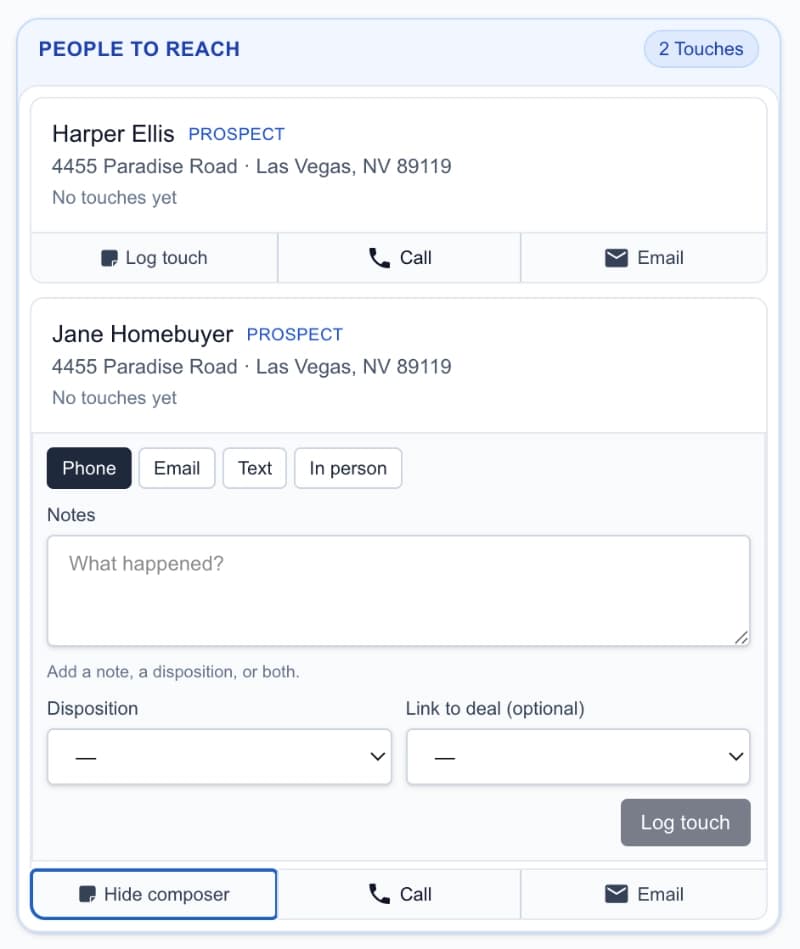
What this view changes
The person, their history, connected properties, active deals, and next move stay in one view.
Built around people
Clients, prospects, households, and partners keep one continuous history.
Connected to the business
Properties, deals, tasks, documents, and appointments live behind the relationship.
Useful without database archaeology
Ask who needs attention and get an answer grounded in real records.
Real estate relationships stretch across years, households, referrals, properties, and transactions. AgentNook keeps that changing story together and turns it into the work that should happen next.
Spouses, co-buyers, sellers, and referral relationships remain understandable without duplicating the story across records.
A reminder includes the last touch, active intent, connected deal, and why the relationship matters now.
See which relationships are moving, going quiet, or capable of closing the gap to a production goal.
Open a person and understand who they are, how they prefer to communicate, which properties and deals involve them, and what has happened since the relationship began.
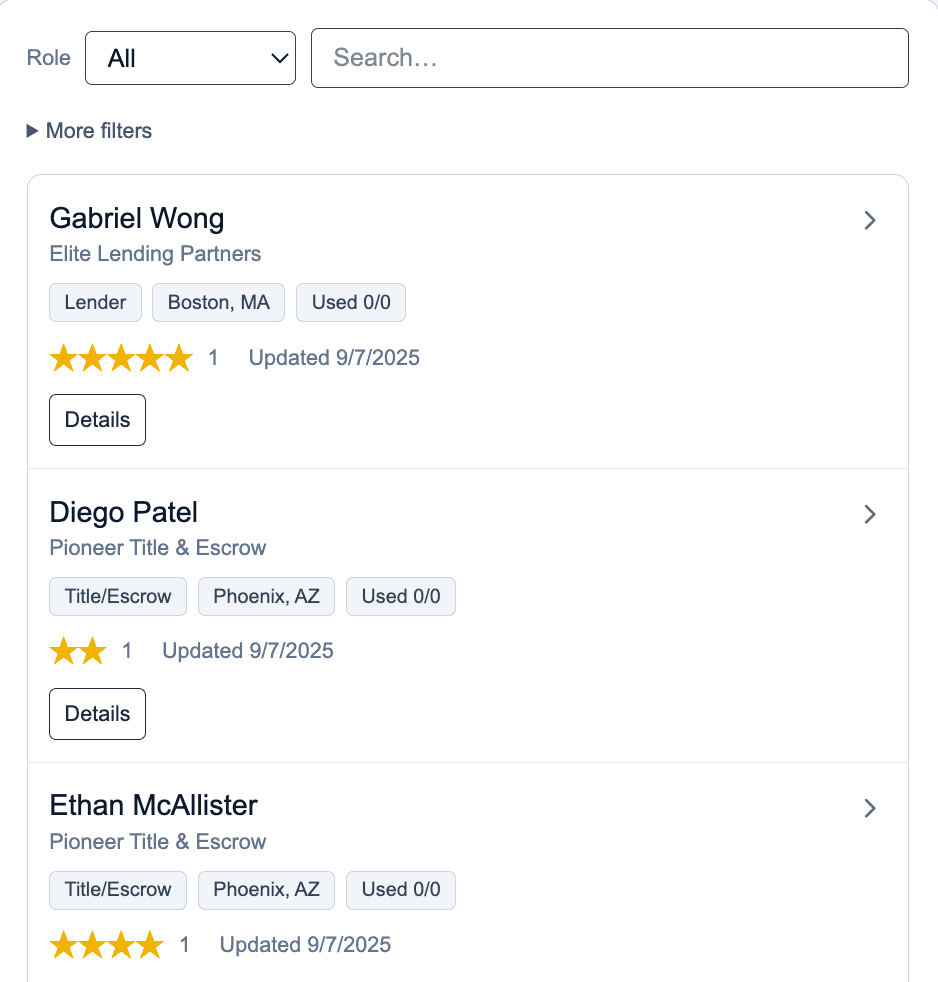
One relationship record with the relevant history behind it
AgentNook combines overdue touches, active intent, recent activity, deal movement, and upcoming dates to surface the people who deserve attention now.
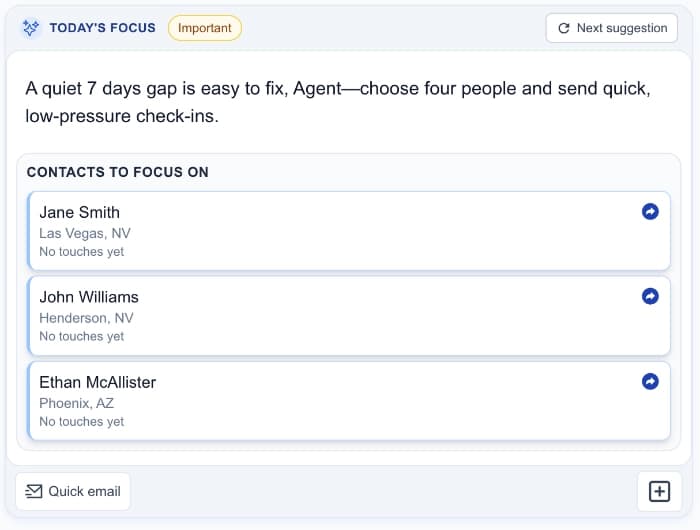
Follow-up appears in the workday—not buried in a report
The client record is connected to the property, representation, milestones, tasks, appointments, documents, and activity that turn a relationship into a closing.
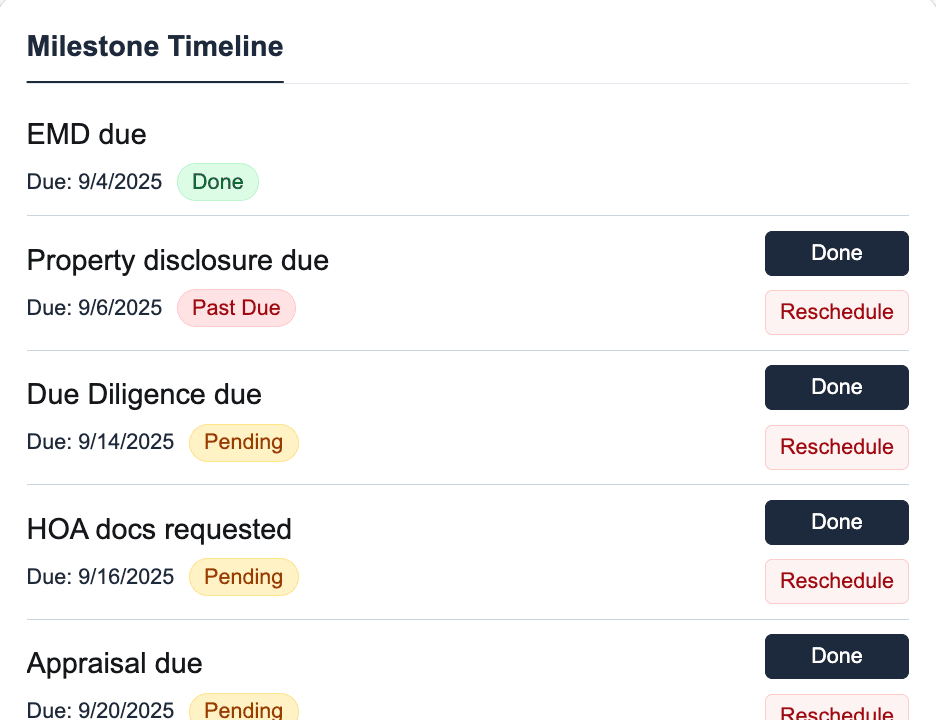
The CRM and transaction workspace share the same story
AgentNook understands the people and work already connected in your workspace. It can find neglected relationships, brief you before a call, and prepare follow-up using the history you would otherwise have to reconstruct yourself.

4:18 PM · Follow-up with the relationship behind it
AgentNook
Ready in your workspace
Start with Harper Lewis. Her showing was yesterday, she prefers concise texts, and there is no next touch scheduled. Ava and Marcus are also due—their move-before-June timeline makes this week important.
Useful next moves
Start with one active client or import the broader database. The structure is useful before every historical record is perfect.
Contact details, role, intent, communication preferences, notes, ratings, and relationship history.
Understand co-buyers, spouses, referral sources, lenders, inspectors, and other transaction relationships.
Connect property details to the people and deals that make those details meaningful.
Keep follow-ups, reminders, and daily priorities attached to the correct person and purpose.
Keep notes, documents, and a usable history without reconstructing the relationship from inboxes.
See how the relationship database connects to active pipeline, closed business, and goals.
Deal management
Connect the relationship to the milestones, risks, tasks, and documents behind every closing.
Explore solutionAI assistant
Ask questions across the CRM and turn what happened into organized next steps.
Explore solutionTeams
Give agents, assistants, and team leaders one shared source of truth.
Explore solution
Start with the clients and active business that matter now. AgentNook becomes more useful as the relationship history grows.