
01
Dates become active work
Milestones, appointments, and closing dates shape priorities instead of sitting passively on a timeline.
AgentNook connects the people, property, milestones, contingencies, tasks, appointments, documents, and activity behind every transaction—then shows you what needs attention before it becomes a closing problem.
Full Pro access for 14 days · Card required · Cancel anytime

What this view changes
Every transaction has a stage, owner, property, timeline, and next move—not just a card in a pipeline.
One source of transaction truth
The deal, parties, property, dates, tasks, and documents stay connected.
Risk appears before the deadline
Overdue work and approaching milestones rise into the daily focus.
AI can explain the exposure
Ask what could slip and receive an answer grounded in active records.
A closing goes off track in the details: a missing document, unresolved contingency, unowned task, or conversation that never happened. AgentNook keeps those details attached to the transaction and visible in the workday.
Milestones, appointments, and closing dates shape priorities instead of sitting passively on a timeline.
The agent, assistant, TC, and team can see what is waiting, who owns it, and what changed.
Notes, files, tasks, approvals, and activity provide usable context when someone needs an answer quickly.
Start with a pipeline view across active business, then open the deal to understand representation, parties, property, price, commission, dates, milestones, files, and open work.
A portfolio view that still opens into a complete transaction record
Inspection, appraisal, contingencies, documents, appointments, and closing dates live inside the deal and surface when they require action.
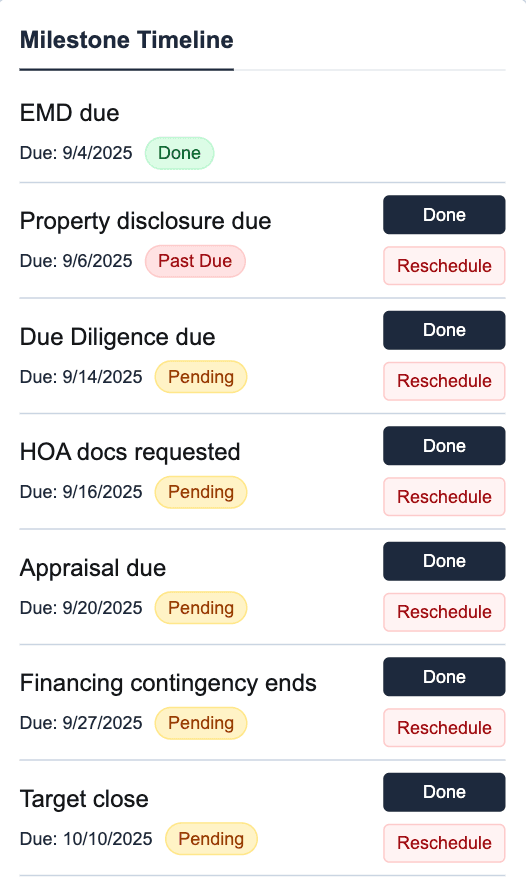
The timeline follows the deal from desktop to the field
Files, notes, appointments, tasks, and activity remain attached to the transaction, making it easier to understand what happened and what evidence supports the next decision.
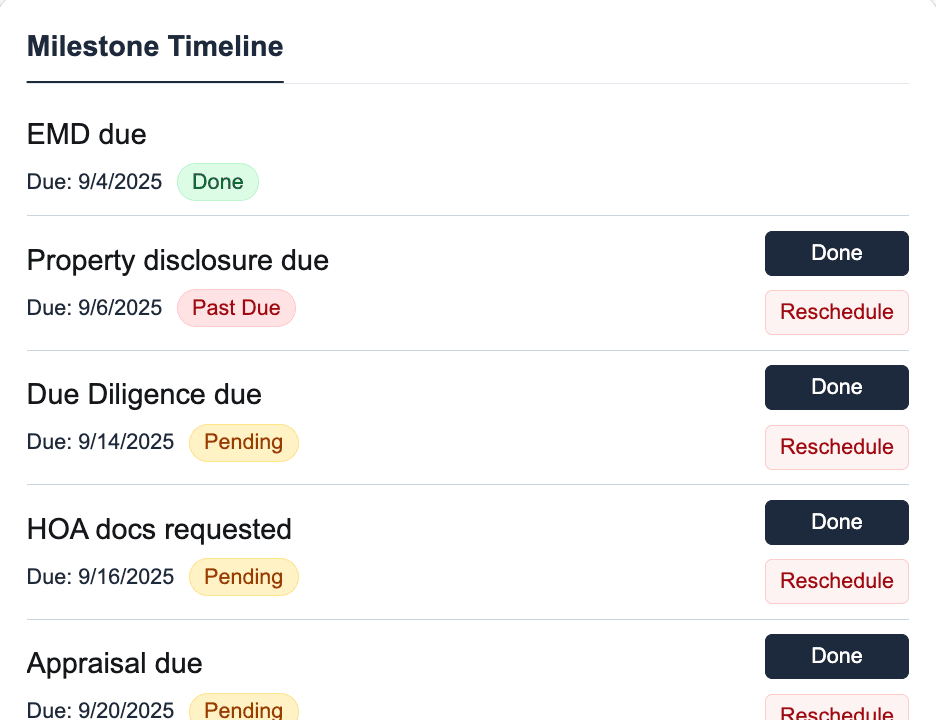
The deadline, record, and supporting work stay together
AgentNook can scan the deal context already inside your workspace, identify the work that creates exposure, and explain why it matters. It is a faster way to focus—not a replacement for professional judgment or contract review.

2:40 PM · The transaction brief before the call
AgentNook
Ready in your workspace
Bermuda Road needs attention first. The appraisal is due Friday and the lender is still waiting on the buyer’s W-2. Canyon View is moving, but tomorrow’s inspection appointment does not yet have a follow-up task.
Focus for the week
AgentNook is built to organize the work and context around a closing. It does not replace legal advice, brokerage supervision, or supported transaction-signing systems.
Understand active transactions across stages, representation, ownership, closing timing, and production.
Keep the property, clients, transaction partners, and representation attached to the deal.
Track inspections, appraisal, contingencies, key meetings, and closing dates in one timeline.
Turn dates and decisions into assigned work with a clear current status.
Store private deal files and reach them through the transaction context that explains them.
Carry a completed transaction into closed volume, commission, goals, and historical relationship value.
Real estate CRM
Keep every transaction connected to the client and relationship history behind it.
Explore solutionAI assistant
Brief active deals, find exposure, and prepare the right next work from connected context.
Explore solutionTeams
Share current deal status and ownership across agents, assistants, and leaders.
Explore solution
Give one active deal a complete home, then let AgentNook turn its dates, people, and open work into a useful daily brief.