
01
No manual context assembly
Ask across the workspace instead of copying notes, dates, and deal status into a separate chat.
AgentNook AI works inside the same system as your clients, properties, deals, tasks, milestones, calendar, activity, and goals. Ask naturally, get an answer grounded in current context, and review important changes before they reach the workspace.
Full Pro access for 14 days · Card required · Cancel anytime

AgentNook
Ready in your workspace

Speak or type. I can reason across your workspace and prepare the next move.
Plan my day
Priorities first
Find follow-ups
Reconnect well
Scan my deals
Spot risk early
Draft outreach
Start a message
Review important details before approval.
Connected to the real work
The assistant shares context with the CRM and deal workspace on web and mobile.
Grounded in connected records
The answer can account for clients, deals, dates, tasks, activity, and goals together.
Built for natural input
Type or talk from the field without learning commands or maintaining a perfect prompt library.
Important writes stay reviewable
Supported workspace changes are prepared for approval instead of silently applied.
Useful real estate guidance depends on the client’s history, the transaction timeline, unfinished work, recent activity, and the goal you are trying to reach. AgentNook puts AI inside that connected system.
Ask across the workspace instead of copying notes, dates, and deal status into a separate chat.
Goal planning can connect the production gap to active pipeline and the activities capable of changing it.
Prepare follow-ups, briefs, tasks, or supported record changes without losing the reasoning behind them.
AgentNook can bring together overdue follow-up, appointments, transaction deadlines, recent activity, and active-deal risk so the morning starts with a useful order of operations.

The brief is grounded in the same workspace that runs the day
After a showing or client call, use the native assistant to capture the person, property, intent, timeline, and next step. AgentNook can prepare supported updates for review in the moment.

The field update reaches the same workspace as the desktop record
Ask what reaching the year-end goal would require. AgentNook can reason across closed production, active pipeline, estimated commissions, timelines, and current activity—then point back to the business already in motion.
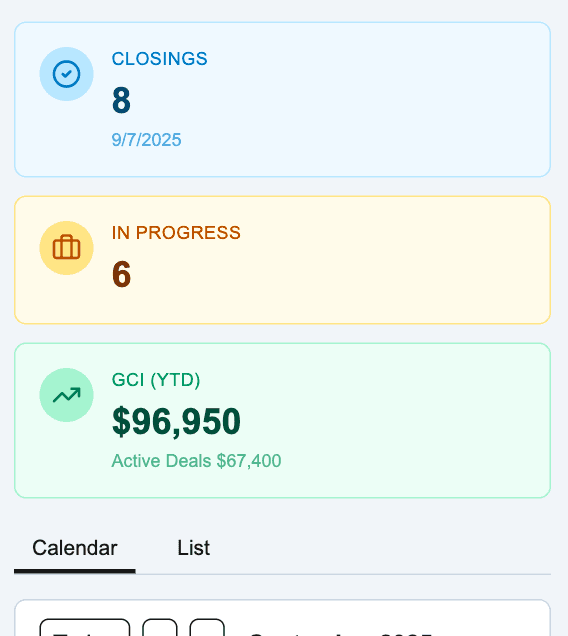
Goal advice grounded in live production and pipeline context
The assistant can connect a client to a property, the property to a deal, the deal to milestones and tasks, and all of it to recent activity and goals. That is what makes the response operational instead of merely conversational.

3:36 PM · Turn the showing into context while walking out
AgentNook
Ready in your workspace
You are $41,800 short of the commission goal. At your current average, that is about three additional closings. Protect the two deals already in motion first: one has an appraisal risk and the other needs seller follow-up this week. Then build the remaining gap from the six warm relationships with recent activity.
Plan built from the workspace
AgentNook AI can make mistakes. Review important details and keep professional judgment in the loop, especially for legal, financial, or client-sensitive decisions.
Bring priorities, appointments, overdue work, milestones, and follow-up into a focused plan.
Find who needs attention, understand why, and prepare outreach from the current relationship history.
Surface unfinished work, approaching deadlines, and missing context that could put a transaction under pressure.
Turn a natural spoken update into structured client and transaction context from the native app.
Prepare follow-ups, summaries, briefs, tasks, and supported changes while keeping the user in control.
Connect goals to production, pipeline, relationship opportunities, and the activities that can move the result.
Real estate CRM
Give the assistant the relationship history, intent, properties, and follow-up context behind the question.
Explore solutionDeal management
Connect AI risk checks and briefs to the milestones, tasks, parties, and files behind each closing.
Explore solutionReal estate teams
Use shared business context to focus leaders, agents, assistants, and transaction coordinators.
Explore solution
Start with your active clients and deals. The assistant becomes more useful as the connected business becomes more complete.